 Image Studio
Log in to unlock more benefits


Image Sharpening
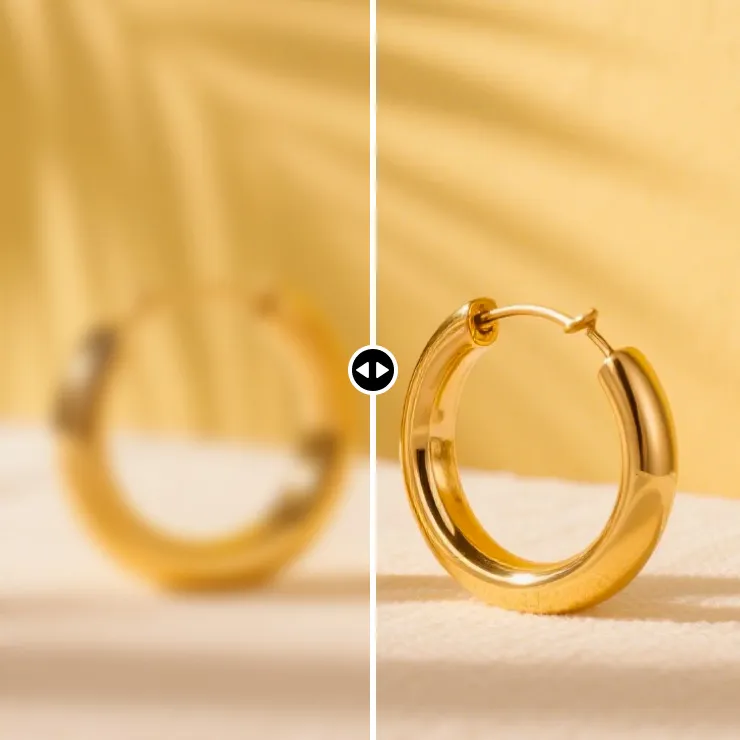
Use AI to improve clarity in blurry, low-resolution, and compressed images.
Drag or paste an image file here, or click the button above
General mode is ideal for everyday photos, old photos, and product images, making blurry images clearer.
Overview
Image Sharpening
Image Sharpening uses AI to improve detail lost through low resolution, compression, or mild blur. General mode is the default for everyday photos, old photos, landscapes, and product images.
Switch modes when people, products, or text make up most of the image; results depend on the source and AI processing.
How to Use
How to sharpen an image
- Upload an image to sharpen.
- Use General mode by default or switch modes when needed.
- Enable Keep Original Dimensions in General mode if required.
- Click Enhance Image and preview the result.
- Save or export as JPG, PNG, BMP, or WebP.
Use Cases
Images you can sharpen
Old photo restoration
Improve clarity and detail in old photos.
Everyday photo sharing
Improve images affected by transfer, scaling, or compression.
Product images
Enhance product edges, textures, and local detail.
Screenshots and text
Use Text and Charts mode for screenshots, scans, tables, and data charts.
Parameters
Image Sharpening Parameters
Default mode: General for everyday photos, old photos, and product images.
Available modes: Portrait, Product, and Text and Charts.
Keep Original Dimensions: available in General mode only.
Import: PNG, JPG, JPEG, HEIC, SVG, GIF, and WEBP.
GIF files use the first frame and export as still images.
Export: JPG, PNG, BMP, and WebP.
FAQ
Image Sharpening FAQ
Can every blurry image be fully restored?
Mild blur, low resolution, and compression can usually be improved; results depend on the source.
Which mode should I use for people?
Use Portrait mode when people are the main subject.
Will the original dimensions change?
Enable Keep Original Dimensions in General mode to preserve width and height.
Does it support HEIC and SVG?
Yes. HEIC, SVG, PNG, JPG, JPEG, GIF, and WEBP can be imported.
Which images suit Product mode?
Product mode suits product main images, displays, and still-life photos.