 Image Studio
Log in to unlock more benefits


Blurred Face Repair
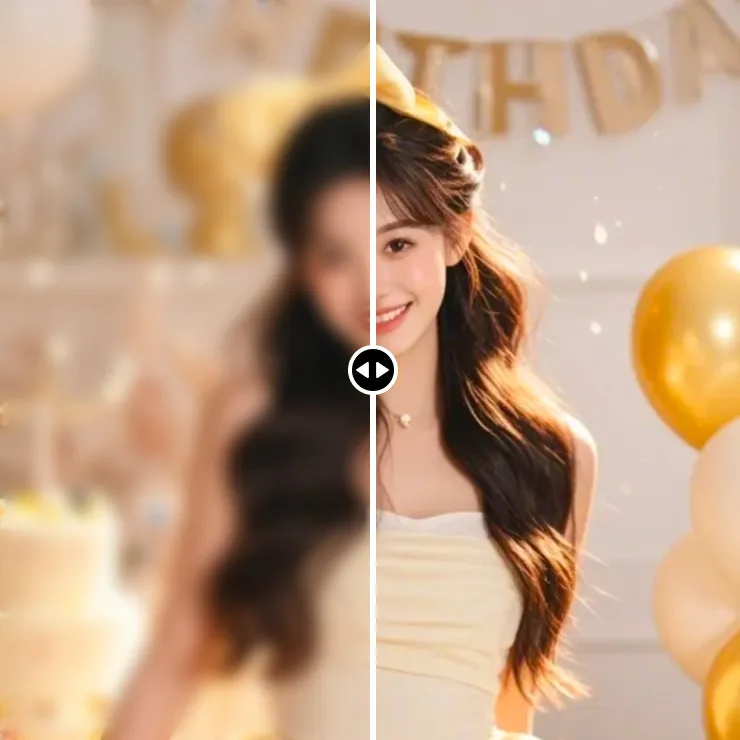
Enhance facial and overall details in blurry, low-resolution portraits.
Drag or paste an image file here, or click the button above
Portrait mode is ideal for single portraits, group photos, and old photos, making blurred faces clearer.
Overview
Blurred Face Repair
Blurred Face Repair improves facial and overall image clarity in portraits affected by low resolution, compression, or mild blur.
How to Use
Blurred Face Repair Steps
- Upload a portrait, group photo, or old photo.
- Use Portrait mode by default or switch modes when people are not the main subject.
- Click Enhance Image and wait for facial detail enhancement.
- Review facial and overall clarity changes.
- Save or export as JPG, PNG, BMP, or WebP.
Use Cases
Images you can repair
Old photo restoration
Improve facial and outline details in old photos.
Lifestyle and selfie photos
Improve blur caused by shooting, transfer, or compression.
Group photos
Enhance faces and overall details in group portraits.
ID photo preparation
Improve an existing ID photo before further editing; check the required image rules.
Parameters
Blurred Face Repair Parameters
Default mode: Portrait for single portraits, group photos, and portrait-led old photos.
Recommendation: use a source with a complete face and a clear subject.
Mode switching: use Product, Text and Charts, or General for other subjects.
Import: PNG, JPG, JPEG, HEIC, SVG, GIF, and WEBP.
GIF files use the first frame and export as still images.
Export: JPG, PNG, BMP, and WebP.
FAQ
Blurred Face Repair FAQ
Can facial features be fully restored?
The tool improves visual clarity and does not guarantee every original facial detail.
Which mode should I use for portraits?
Portrait mode is recommended for single portraits, group photos, and old photos with people as the subject.
Which old photos are suitable?
Photos with recognizable faces affected by low resolution, mild blur, or compression are more suitable.
Can faces in group photos be repaired?
You can try Portrait mode for group photos; results depend on the source image.
Does it support HEIC and SVG?
Yes. HEIC, SVG, PNG, JPG, JPEG, GIF, and WEBP can be imported.