 Image Studio
Log in to unlock more benefits


Online Free Collage
Upload multiple images and freely adjust position, size, rotation, and layers to create a personalized collage
Examples
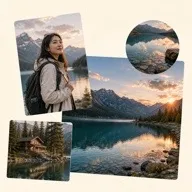
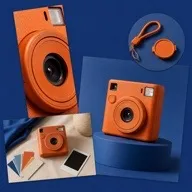

Online freeform collage tool
Each image becomes an independent layer that you can position, resize, rotate, reorder, crop, shape, and filter without fixed slots. Create creative photo collages, posters, product visuals, and personalized image combinations.
Create a free collage
- Add one or more images.
- Choose images from the list and add them to the canvas.
- Drag, resize, and rotate each image.
- Adjust opacity, flips, and layer order.
- Apply crop, shape, or filter effects when needed.
- Set the canvas background, then save or export.
Creative collage scenarios
- Travel and lifestyle photo collages
- Social posts, event posters, and cover visuals
- Product, detail, and scene image combinations
- Layered photos with crop, shape, and filter effects
Free collage settings
Each image is an independent layer. Position, size, rotation, flips, opacity, layer order, crop, shapes, filters, canvas size, and background can be adjusted. Export formats follow the options provided by the save panel.
Free collage FAQ
How is free collage different from template collage?
Free collage has no fixed slots, so you can adjust image position, size, rotation, and layer order freely.
Can I overlap multiple images?
Yes. Every image is an independent layer that can be moved and reordered.
Can I crop a single image?
Yes. Cropping applies only to the selected image layer.
Can I add the same image more than once?
Yes. Each added copy can be adjusted independently.
Can I set a background?
Yes. Set a canvas color or background image.