 Image Studio
Log in to unlock more benefits


ID Photo
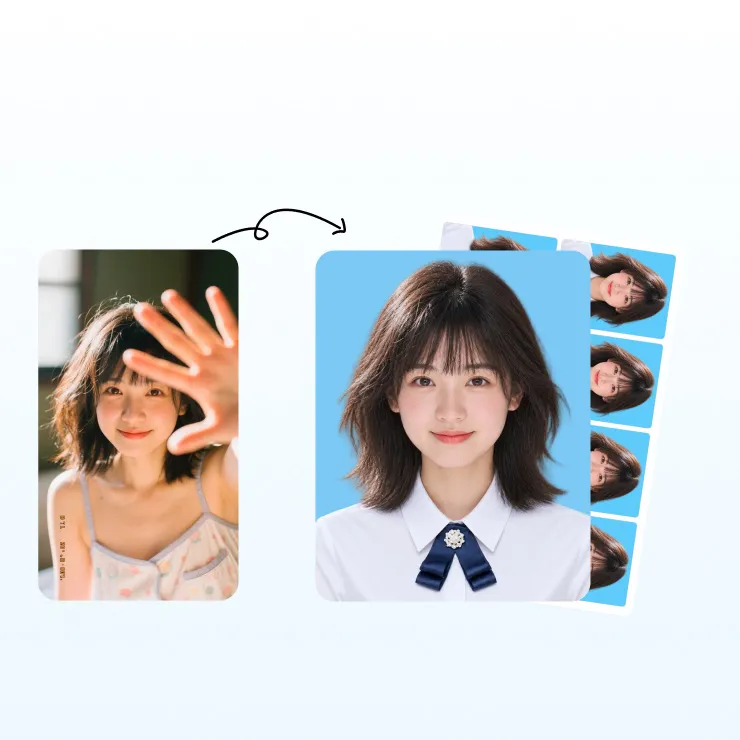
ID Photo with size templates, background options, and digital export.
Drag or paste an image file here, or click the button above
Supports one-inch, two-inch, and application ID photo sizes, with white, blue, red backgrounds and outfit changes.
Overview
Online ID Photo Maker
Upload a suitable single-person front-facing photo to create an electronic ID photo with AI cutout, size templates, background replacement, and composition controls.
Choose from men's, women's, children's, and senior outfit categories, each with more than 100 styles, or upload a custom outfit.
How to Use
Online ID Photo Steps
- Upload a single-person front-facing photo with complete facial features.
- Wait for face detection and AI portrait cutout.
- Choose a one-inch, two-inch, or application template, or enter a custom size.
- Choose a white, blue, red, transparent, or custom background.
- Choose an outfit category or upload a custom outfit when needed.
- Preview and save or export the ID photo.
Use Cases
ID photos you can make
One-inch and two-inch photos
Create electronic ID photos in common sizes.
Applications and qualifications
Set application photo sizes with templates and check the latest requirements before submission.
School and student records
Prepare student cards, school records, and photo collection images.
Resumes and professional profiles
Change the background and outfit for resumes and professional materials.
ID photo outfit changes
Choose from men's, women's, children's, and senior outfits, with more than 100 styles per category, or upload a custom outfit.
Parameters
ID Photo Parameters
Input: a single-person front-facing photo with complete facial features; group and incomplete-face images are rejected.
Source size: 48×48px to 10000×10000px.
Templates: one-inch, two-inch, and multiple application categories.
Custom size: enter px, mm, cm, or inch values.
Backgrounds: white, light blue, blue, red, dark blue, gray, transparent, gradients, and custom colors.
Positioning: drag, scale proportionally, and rotate the person.
Outfits: men's, women's, children's, and senior categories with 100+ styles each, plus custom uploads.
Import: PNG, JPG, JPEG, HEIC, SVG, GIF, and WEBP; GIF uses the first frame.
Export: JPG, PNG, BMP, and WebP.
导入格式:支持 PNG、JPG、JPEG、HEIC、SVG、GIF 和 WEBP;GIF 仅处理第一帧。
导出格式:证件照结果按当前保存面板提供的图片格式导出。
FAQ
Online ID Photo FAQ
Can I make one-inch and two-inch ID photos?
Yes. The size templates include common one-inch and two-inch formats.
How do I change the ID photo background?
After the AI cutout, choose white, blue, red, transparent, or a custom color in Background.
What if I do not know the application size?
Search by application name or pixel size, then verify the latest requirements before submission.
Can I change a one-inch photo to blue or white?
Choose the one-inch template and switch the background to blue or white.
Can I change the outfit or upload my own?
Yes. Choose an outfit category or upload a complete custom outfit image.
How many outfit styles are available?
Each of the four categories has more than 100 styles; the actual list depends on the loaded materials.
Can I use a phone photo?
Yes. Use a front-facing, evenly lit photo with one complete face and no other people.
Can the result pass every application review?
No guarantee is made; review depends on the latest rules and the organization’s decision.